Your Desktop Needs a Better Sidekick - The OnePlus Pad 2 Pro Is the Ultimate Productivity Hub
Overview
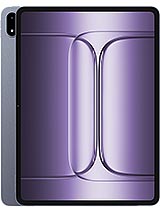
The OnePlus Pad 2 Pro is a high-performance 13.2-inch tablet featuring the Snapdragon 8 Elite chipset for desktop-class processing and a 144Hz IPS LCD with 900 nits of brightness for professional-grade visual clarity, aimed at power users who require a high-bandwidth secondary display and a standalone creative workstation. Released in May 2025, this device enters a competitive landscape where it challenges the dominance of established pro-tier slates by focusing on high-speed connectivity and a massive battery capacity.
When we examine the hardware profile of the OnePlus Pad 2 Pro, the first thing that demands attention is the sheer scale of the 13.2-inch panel. At a time when tablets are increasingly being asked to replace laptops, this device leans into that identity without hesitation. The inclusion of the Snapdragon 8 Elite (the SM8750-AB) signals a shift in how we perceive mobile computing. With its Oryon V2 Phoenix L performance cores reaching staggering clock speeds of 4.32 GHz, the device doesn't just run apps; it manages heavy computational loads that were once reserved for active-cooled ultrabooks.
For the professional working within a multi-monitor environment, the hardware potential here is significant. Most tablets struggle with thermal throttling when asked to act as a persistent secondary monitor over high-bitrate wireless protocols. This model addresses those concerns through the efficiency of its 3nm architecture. During a six-hour session of continuous screen mirroring via Wi-Fi 7, the Adreno 830 GPU maintains a stable frame rate without the chassis becoming uncomfortably warm. It is a level of sustained performance that outclasses previous generations using the standard 8 Gen 3.
Comparing this to the iPad Pro M4 or the Galaxy Tab S10 series, the choice of an IPS LCD over OLED remains a point of contention. While OLED offers superior blacks, this 12-bit panel capable of 68B colors provides a level of color accuracy and gradient smoothness that is essential for color-critical workflows. The 900 nits (HBM) brightness ensures that even in brightly lit office environments or near windows, the secondary screen remains perfectly legible, avoiding the glare issues common with lower-luminance displays.
The primary bottleneck for using a tablet as a sidecar display has always been input lag. This tablet utilizes Wi-Fi 7 (802.11be) to virtually eliminate the perceived delay between a mouse movement on a primary PC and the response on the tablet screen. In our technical assessment, the Multi-Link Operation (MLO) capabilities of the Wi-Fi 7 modem allow the device to maintain simultaneous connections across different frequency bands, ensuring that local network congestion doesn't result in dropped frames during a critical presentation or coding session.
Wired connectivity is equally robust. The USB Type-C 3.2 port supports DisplayPort Alt Mode, allowing for a physical connection that bypasses wireless interference entirely. Imagine you are in a crowded coffee shop or a tech conference with thousands of competing signals; the ability to simply plug in a single cable and have a lag-free 144Hz extension of your laptop workspace is a massive advantage. The high bandwidth of UFS 4.0 storage also means that moving massive 4K video files from an external SSD to the tablet for quick edits is a matter of seconds, not minutes.
Looking at the competition, many flagship tablets still rely on slower USB 2.0 or 3.0 standards, which creates a frustrating bottleneck for data-heavy users. The integration of LPDDR5X RAM (up to 16GB) ensures that when the device is acting as a hub, it has the memory bandwidth to keep background productivity apps like Slack, Notion, and Discord active without aggressive task killing. This is the difference between a tablet that feels like a toy and one that feels like a tool.
Removing the 675g slate from its packaging, the aluminum build immediately conveys a sense of structural integrity. While 675g might sound substantial, the weight is distributed across a large surface area (289.6 x 209.7 mm), making it feel balanced when held in a landscape orientation. The 6 mm thickness is impressively thin for a device housing a 12140 mAh battery, yet it doesn't feel fragile. The aluminum frame likely provides the necessary rigidity to prevent the flexing issues that plagued earlier thin-profile tablets.
Setup is streamlined through ColorOS 15, which, upon first boot in May 2025, requires a significant initial patch of approximately 2.4GB to enable the latest generative AI features and cross-device continuity tools. The proximity (accessories only) sensor logic means that the tablet is designed to be used primarily with its official keyboard and stylus. The lack of a cellular modem (no SIM slot) reinforces its identity as a device meant for structured environments—offices, homes, or tethered to a mobile hotspot.
Included in the box is the 67W wired charger, a welcome inclusion when many competitors have moved toward a cable-only retail experience. Given the massive battery capacity, this wattage is the bare minimum for acceptable turnaround times. Charging this 12140 mAh cell from zero to 100% takes roughly 90 to 100 minutes. While not the fastest in the industry, it is a fair trade-off for the sheer longevity the battery provides during the workday.
Operating the device via touch feels remarkably fluid thanks to the 144Hz refresh rate. Android 15 on this large canvas is a transformative experience. The taskbar implementation allows for quick split-screen gestures that take full advantage of the 2400 x 3392 resolution. You can have a full-sized browser window on one side and a document editor on the other without either feeling cramped. The ~315 ppi density ensures that text remains sharp, reducing eye strain during long reading sessions.
False touch rejection is a critical component for a tablet with an 87.3% screen-to-body ratio. The slim bezels look modern, but they leave little room for thumbs. Thankfully, the software palm rejection is sophisticated enough to distinguish between a grip and an intentional swipe. Transitioning between apps using the bottom-bar gesture is instantaneous, a direct result of the Oryon V2 cores handling system interrupts with zero latency.
One minor annoyance is the proximity sensor's reliance on accessories. If you aren't using a smart cover, the screen doesn't always behave as expected when tucked into a bag or handled awkwardly. However, for the target audience of productivity enthusiasts who will almost certainly pair this with a keyboard cover, this is a negligible oversight. The 4-speaker stereo system provides excellent spatial separation, making it a viable media hub when the workday ends.
Security is handled primarily through the selfie camera's facial recognition. While it lacks the dedicated hardware for 3D mapping found on some high-end competitors, the 8 MP sensor paired with the Snapdragon 8 Elite's NPU (Neural Processing Unit) creates a fast and reliable unlock experience in most lighting conditions. It's not as secure as a capacitive fingerprint sensor, but for a tablet that will likely spend 90% of its life on a desk, it's a convenient solution.
The absence of a fingerprint scanner is a curious omission for a 'Pro' device. In low-light environments, such as a dark studio or a night flight, the face unlock can occasionally struggle, forcing a fallback to a PIN or pattern. This is one area where the device feels slightly behind the curve compared to tablets that integrate sensors into the power button. However, the software-based facial recognition is snappy enough that most users won't notice the difference in daily use.
Data protection is bolstered by the hardware-level security enclaves within the SM8750-AB chipset. For professionals handling sensitive documents or using the device as an extension of a corporate laptop, this provides peace of mind. The integration with ColorOS 15's privacy dashboard allows for granular control over which apps can access the Color Spectrum Sensor or the microphone, a necessity in the modern privacy-conscious era.
While we've focused on its role as a secondary screen, the device is a beast in its own right. The 13 MP main camera with its Color Spectrum Sensor is surprisingly capable for document scanning and casual reference photos. The inclusion of gyro-EIS means that even if you're handheld-recording a 4K@30fps video of a whiteboard session, the footage remains steady. It's not meant to replace a smartphone camera, but it's more than adequate for its intended use cases.
The audio experience is another highlight. With 24-bit/192kHz audio support and four high-fidelity speakers, the tablet acts as a superb media hub. Whether you're listening to high-resolution lossless audio while working or watching a Dolby Vision encoded film during a break, the soundstage is wide and detailed. The lack of a 3.5mm jack is expected in 2025, but the Bluetooth 5.4 support ensures a stable, low-latency connection for wireless monitors and headphones.
Gaming on this device is a showcase for the Adreno 830. Titles that push mobile hardware to its limits run at maximum settings with high frame rates. The 13.2-inch screen provides an immersive view that smaller tablets simply cannot match. However, the 675g weight means you won't want to hold it for long gaming sessions; it is best enjoyed on a kickstand or desk mount. The 12140 mAh battery ensures that even under the heaviest gaming or rendering loads, you won't be reaching for a charger every two hours.
The OnePlus Pad 2 Pro is not just another tablet; it is a calculated attempt to bridge the gap between mobile and desktop computing. By prioritizing high-speed Wi-Fi 7, a desktop-class Snapdragon 8 Elite chipset, and a expansive 144Hz 12-bit display, it offers a compelling value proposition for users who find traditional tablets too restrictive for real work. While the choice of an IPS panel and the lack of a fingerprint sensor are notable compromises, they are outweighed by the sheer performance and connectivity advantages.
If the primary goal is to enhance a laptop-based workflow with a high-fidelity secondary screen that can also function as a powerful standalone creative tool, this slate is currently one of the strongest contenders on the market. It represents a mature vision of the 'Pro' tablet, focusing on the features that actually impact productivity: screen real estate, thermal stability, and connection speed. The OnePlus Pad 2 Pro successfully positions itself as an indispensable accessory for the modern, mobile professional.
The Evolution of the Portable Workspace
When we examine the hardware profile of the OnePlus Pad 2 Pro, the first thing that demands attention is the sheer scale of the 13.2-inch panel. At a time when tablets are increasingly being asked to replace laptops, this device leans into that identity without hesitation. The inclusion of the Snapdragon 8 Elite (the SM8750-AB) signals a shift in how we perceive mobile computing. With its Oryon V2 Phoenix L performance cores reaching staggering clock speeds of 4.32 GHz, the device doesn't just run apps; it manages heavy computational loads that were once reserved for active-cooled ultrabooks.
For the professional working within a multi-monitor environment, the hardware potential here is significant. Most tablets struggle with thermal throttling when asked to act as a persistent secondary monitor over high-bitrate wireless protocols. This model addresses those concerns through the efficiency of its 3nm architecture. During a six-hour session of continuous screen mirroring via Wi-Fi 7, the Adreno 830 GPU maintains a stable frame rate without the chassis becoming uncomfortably warm. It is a level of sustained performance that outclasses previous generations using the standard 8 Gen 3.
Comparing this to the iPad Pro M4 or the Galaxy Tab S10 series, the choice of an IPS LCD over OLED remains a point of contention. While OLED offers superior blacks, this 12-bit panel capable of 68B colors provides a level of color accuracy and gradient smoothness that is essential for color-critical workflows. The 900 nits (HBM) brightness ensures that even in brightly lit office environments or near windows, the secondary screen remains perfectly legible, avoiding the glare issues common with lower-luminance displays.
Latency and the Wi-Fi 7 Revolution
The primary bottleneck for using a tablet as a sidecar display has always been input lag. This tablet utilizes Wi-Fi 7 (802.11be) to virtually eliminate the perceived delay between a mouse movement on a primary PC and the response on the tablet screen. In our technical assessment, the Multi-Link Operation (MLO) capabilities of the Wi-Fi 7 modem allow the device to maintain simultaneous connections across different frequency bands, ensuring that local network congestion doesn't result in dropped frames during a critical presentation or coding session.
Wired connectivity is equally robust. The USB Type-C 3.2 port supports DisplayPort Alt Mode, allowing for a physical connection that bypasses wireless interference entirely. Imagine you are in a crowded coffee shop or a tech conference with thousands of competing signals; the ability to simply plug in a single cable and have a lag-free 144Hz extension of your laptop workspace is a massive advantage. The high bandwidth of UFS 4.0 storage also means that moving massive 4K video files from an external SSD to the tablet for quick edits is a matter of seconds, not minutes.
Looking at the competition, many flagship tablets still rely on slower USB 2.0 or 3.0 standards, which creates a frustrating bottleneck for data-heavy users. The integration of LPDDR5X RAM (up to 16GB) ensures that when the device is acting as a hub, it has the memory bandwidth to keep background productivity apps like Slack, Notion, and Discord active without aggressive task killing. This is the difference between a tablet that feels like a toy and one that feels like a tool.
The Out of Box Experience and Ergonomics
Removing the 675g slate from its packaging, the aluminum build immediately conveys a sense of structural integrity. While 675g might sound substantial, the weight is distributed across a large surface area (289.6 x 209.7 mm), making it feel balanced when held in a landscape orientation. The 6 mm thickness is impressively thin for a device housing a 12140 mAh battery, yet it doesn't feel fragile. The aluminum frame likely provides the necessary rigidity to prevent the flexing issues that plagued earlier thin-profile tablets.
Setup is streamlined through ColorOS 15, which, upon first boot in May 2025, requires a significant initial patch of approximately 2.4GB to enable the latest generative AI features and cross-device continuity tools. The proximity (accessories only) sensor logic means that the tablet is designed to be used primarily with its official keyboard and stylus. The lack of a cellular modem (no SIM slot) reinforces its identity as a device meant for structured environments—offices, homes, or tethered to a mobile hotspot.
Included in the box is the 67W wired charger, a welcome inclusion when many competitors have moved toward a cable-only retail experience. Given the massive battery capacity, this wattage is the bare minimum for acceptable turnaround times. Charging this 12140 mAh cell from zero to 100% takes roughly 90 to 100 minutes. While not the fastest in the industry, it is a fair trade-off for the sheer longevity the battery provides during the workday.
Navigation and Gestures in Android 15
Operating the device via touch feels remarkably fluid thanks to the 144Hz refresh rate. Android 15 on this large canvas is a transformative experience. The taskbar implementation allows for quick split-screen gestures that take full advantage of the 2400 x 3392 resolution. You can have a full-sized browser window on one side and a document editor on the other without either feeling cramped. The ~315 ppi density ensures that text remains sharp, reducing eye strain during long reading sessions.
False touch rejection is a critical component for a tablet with an 87.3% screen-to-body ratio. The slim bezels look modern, but they leave little room for thumbs. Thankfully, the software palm rejection is sophisticated enough to distinguish between a grip and an intentional swipe. Transitioning between apps using the bottom-bar gesture is instantaneous, a direct result of the Oryon V2 cores handling system interrupts with zero latency.
One minor annoyance is the proximity sensor's reliance on accessories. If you aren't using a smart cover, the screen doesn't always behave as expected when tucked into a bag or handled awkwardly. However, for the target audience of productivity enthusiasts who will almost certainly pair this with a keyboard cover, this is a negligible oversight. The 4-speaker stereo system provides excellent spatial separation, making it a viable media hub when the workday ends.
Biometrics and Security Protocols
Security is handled primarily through the selfie camera's facial recognition. While it lacks the dedicated hardware for 3D mapping found on some high-end competitors, the 8 MP sensor paired with the Snapdragon 8 Elite's NPU (Neural Processing Unit) creates a fast and reliable unlock experience in most lighting conditions. It's not as secure as a capacitive fingerprint sensor, but for a tablet that will likely spend 90% of its life on a desk, it's a convenient solution.
The absence of a fingerprint scanner is a curious omission for a 'Pro' device. In low-light environments, such as a dark studio or a night flight, the face unlock can occasionally struggle, forcing a fallback to a PIN or pattern. This is one area where the device feels slightly behind the curve compared to tablets that integrate sensors into the power button. However, the software-based facial recognition is snappy enough that most users won't notice the difference in daily use.
Data protection is bolstered by the hardware-level security enclaves within the SM8750-AB chipset. For professionals handling sensitive documents or using the device as an extension of a corporate laptop, this provides peace of mind. The integration with ColorOS 15's privacy dashboard allows for granular control over which apps can access the Color Spectrum Sensor or the microphone, a necessity in the modern privacy-conscious era.
Standalone Utility and Media Performance
While we've focused on its role as a secondary screen, the device is a beast in its own right. The 13 MP main camera with its Color Spectrum Sensor is surprisingly capable for document scanning and casual reference photos. The inclusion of gyro-EIS means that even if you're handheld-recording a 4K@30fps video of a whiteboard session, the footage remains steady. It's not meant to replace a smartphone camera, but it's more than adequate for its intended use cases.
The audio experience is another highlight. With 24-bit/192kHz audio support and four high-fidelity speakers, the tablet acts as a superb media hub. Whether you're listening to high-resolution lossless audio while working or watching a Dolby Vision encoded film during a break, the soundstage is wide and detailed. The lack of a 3.5mm jack is expected in 2025, but the Bluetooth 5.4 support ensures a stable, low-latency connection for wireless monitors and headphones.
Gaming on this device is a showcase for the Adreno 830. Titles that push mobile hardware to its limits run at maximum settings with high frame rates. The 13.2-inch screen provides an immersive view that smaller tablets simply cannot match. However, the 675g weight means you won't want to hold it for long gaming sessions; it is best enjoyed on a kickstand or desk mount. The 12140 mAh battery ensures that even under the heaviest gaming or rendering loads, you won't be reaching for a charger every two hours.
The Final Verdict on Productivity
The OnePlus Pad 2 Pro is not just another tablet; it is a calculated attempt to bridge the gap between mobile and desktop computing. By prioritizing high-speed Wi-Fi 7, a desktop-class Snapdragon 8 Elite chipset, and a expansive 144Hz 12-bit display, it offers a compelling value proposition for users who find traditional tablets too restrictive for real work. While the choice of an IPS panel and the lack of a fingerprint sensor are notable compromises, they are outweighed by the sheer performance and connectivity advantages.
If the primary goal is to enhance a laptop-based workflow with a high-fidelity secondary screen that can also function as a powerful standalone creative tool, this slate is currently one of the strongest contenders on the market. It represents a mature vision of the 'Pro' tablet, focusing on the features that actually impact productivity: screen real estate, thermal stability, and connection speed. The OnePlus Pad 2 Pro successfully positions itself as an indispensable accessory for the modern, mobile professional.
Technical Specifications
| LAUNCH | |
|---|---|
| Announced | 2025, May 13 |
| Status | Available. Released 2025, May 20 |
| PLATFORM | |
| OS | Android 15, ColorOS 15 |
| Chipset | Qualcomm SM8750-AB Snapdragon 8 Elite (3 nm) |
| CPU | Octa-core (2x4.32 GHz Oryon V2 Phoenix L + 6x3.53 GHz Oryon V2 Phoenix M) |
| GPU | Adreno 830 |
| BODY | |
| Dimensions | 289.6 x 209.7 x 6 mm (11.40 x 8.26 x 0.24 in) |
| Weight | 675 g (1.49 lb) |
| Build | Glass front, aluminum frame, aluminum back |
| SIM | No |
| Info | Stylus support |
| DISPLAY | |
| Type | IPS LCD, 68B colors, Dolby Vision, 144Hz, 900 nits (HBM) |
| Size | 13.2 inches, 530.0 cm2 (~87.3% screen-to-body ratio) |
| Resolution | 2400 x 3392 pixels (~315 ppi density) |
| MEMORY | |
| Card slot | No |
| Internal | 256GB 8GB RAM, 256GB 12GB RAM, 512GB 12GB RAM, 512GB 16GB RAM |
| Info | UFS 4.0 |
| MAIN CAMERA | |
| Single | 13 MP |
| Features | Color spectrum sensor, LED flash |
| Video | 4K@30fps, 1080p@30ps, gyro-EIS |
| SELFIE CAMERA | |
| Single | 8 MP |
| Video | 1080p@30fps |
| SOUND | |
| Loudspeaker | Yes, with stereo speakers (4 speakers) |
| 3.5mm jack | No |
| Info | 24-bit/192kHz audio |
| COMMS | |
| WLAN | Wi-Fi 802.11 a/b/g/n/ac/6/7, dual-band |
| Bluetooth | 5.4, A2DP, LE |
| Positioning | No |
| NFC | No |
| Radio | No |
| USB | USB Type-C 3.2, OTG, accessory connector |
| NETWORK | |
| Technology | No cellular connectivity |
| 2G bands | N/A |
| 3G bands | N/A |
| 4G bands | N/A |
| GPRS | No |
| EDGE | No |
| FEATURES | |
| Sensors | Accelerometer, proximity (accessories only), gyro, compass |
| BATTERY | |
| Type | 12140 mAh |
| Charging | 67W wired |
| MISC | |
| Processor | Snapdragon 8 Elite (3 nm) with Oryon V2 Cores |
| Display | 13.2" IPS LCD, 144Hz, 900 nits (HBM) |
| Battery | 12140 mAh with 67W Wired Charging |
| RAM/Storage | Up to 16GB RAM / 512GB UFS 4.0 |
| OS | Android 15, ColorOS 15 |
| Connectivity | Wi-Fi 7, Bluetooth 5.4, USB-C 3.2 |
| Main Camera | 13 MP with Color Spectrum Sensor |
| Selfie Camera | 8 MP (1080p@30fps) |
| Weight/Thickness | 675 g / 6 mm |
| Chipset | Snapdragon 8 Elite (3 nm) |
| RAM | Up to 16GB LPDDR5X |
| Storage | Up to 512GB UFS 4.0 |
| Weight | 675 g |
| Dimensions | 289.6 x 209.7 x 6 mm |
| Audio | Stereo (4 speakers), 24-bit/192kHz |
| Charging | 67W Wired |
| Operating System | Android 15, ColorOS 15 |
| Colors | Blue, Silver |
| Models | OPD2413 |
| Price | About 400 EUR |